Currently being updated with more screenshots to be added. Please check back soon.
Open patient clinical record in BP. Confirm patient’s usual provider is correct in demographic windows.
Add to patient’s past history: ‘My Symptom Check-in participating’
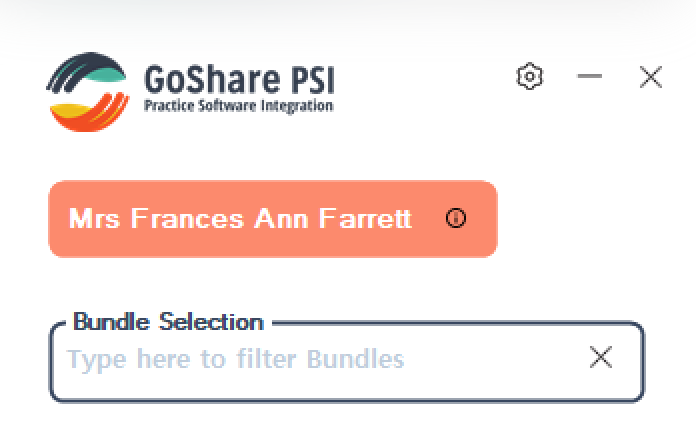
Open and Login to GoShare PSI which can be found by searching for ‘GoShare’ in the windows task bar at the bottom of the screen

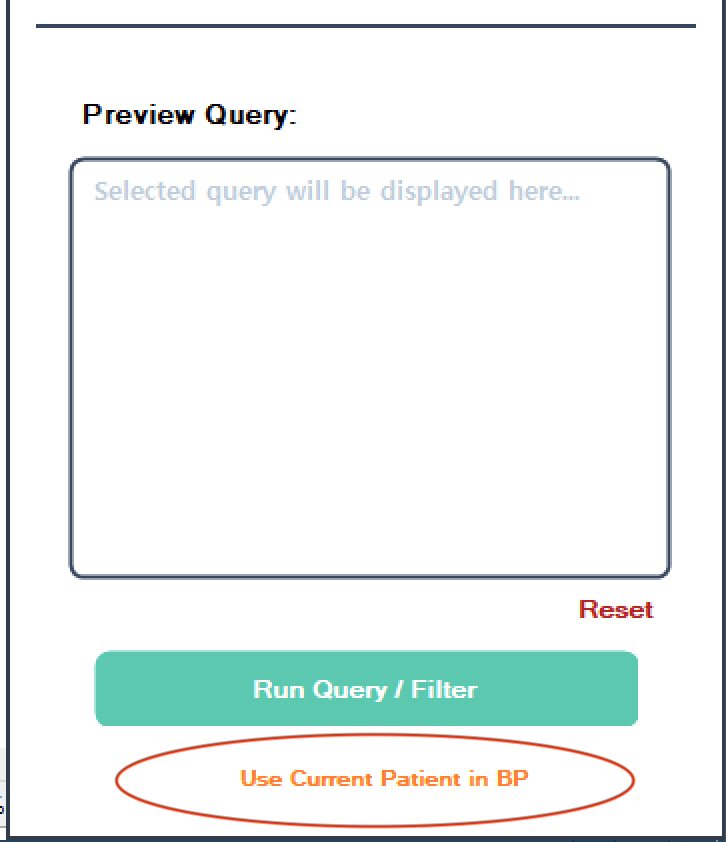
Click use current patient in GoShare PSI
Click into ‘Bundle Selection’ box to display bundles to send and select: My Symptom Check-in – Assessment 1′
Tick ‘Send to alternate recipient?’ box at the bottom of the screen
Enter your email address ie. nurse@gppractice.com.au, click save, then Send bundle.
Find the email from ‘GoShare Healthcare’ in your email inbox, click link in email to open Assessment.
Complete assessment with patient on your computer, note that the completed Assessment 1 will import into the Patient’s record in BP. You will receive an email alert though to notify the assessment is complete.
Send the My Symptom Check-in – Assessment 2 (GenPal tool) to the patient’s mobile phone. Guide the patient to complete the assessment – explaining they will next receive this again in 3 weeks time at home. Note with patient that they will receive appropriate education to address any symptoms rated moderate or severe on the final screen. An automatic follow up with Check-in will be sent at 10am the following day if any symptoms were rated greater than or equal to 7.
Note: On patient completion of Assessment 2, Notifications are sent:
- An email to the inbox of the GoShare sender
- Completed assessment delivered to BP inbox of patient’ usual provider OR the BP logged in user at time of send – depending on preferences set by practice with GoShare support team.
Discuss symptom management where appropriate during consult with patient.
Schedule ongoing 6 weekly automated check-in with GoShare – With the first send, 3 weeks away – 10am. Explain to patient that if they do not complete assessment online, they will recevie a a call 3 hours later at 1pm and can complete the assessment over the phone with the digital assistant.
Book in to Best Practice 6 weekly appointments in person – Set the appointment to new ‘My Symptom Check-in’ appointment type.