In the even that a patient is referred to specialist palliative care, choose to withdraw from the study, or passes away, please follow below guide:
Login to GoShare PSI

With the patient record open in BP, click ‘Use Current Patient in BP’
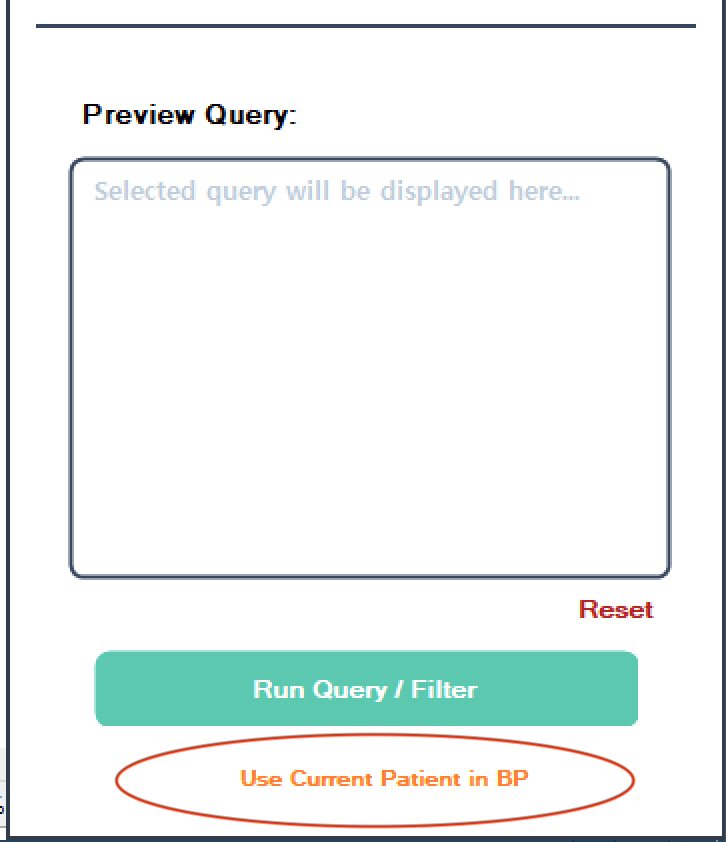
Click into ‘Bundle Selection’ box to display bundles to send and select: My Symptom Check-in – Assessment 3′
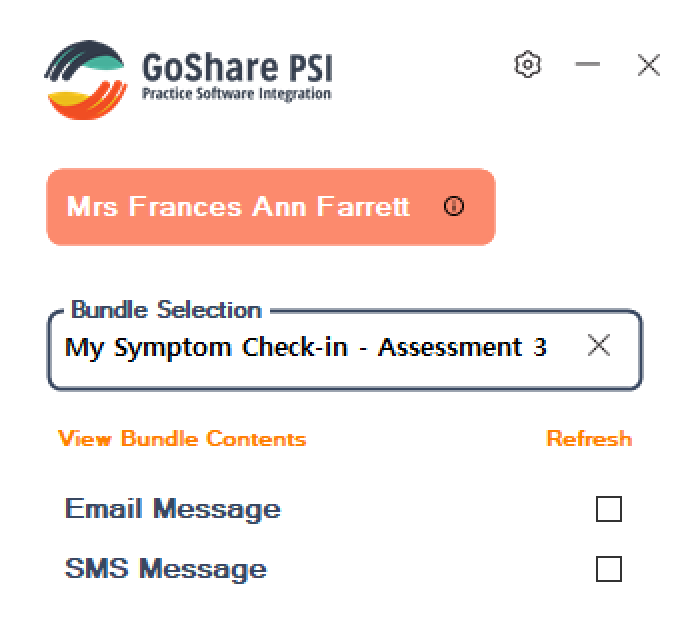
Tick ‘Send to alternate recipient?’ check box at the bottom of the screen
Enter your email address and/or mobile ie. nurse@gppractice.com.au, click save, tick SMS / email, then Send bundle.
Find the email from ‘GoShare Healthcare’ in your email inbox, click link in email to open Assessment 3.
Complete assessment on your computer. Note that the completed Assessment 3 will import into the Patient’s record in BP. You will also receive an email alert to notify the assessment is complete.
Important: Please ensure you cancel any automated check-in SMS/Email which may still be scheduled to send to the patient:
- Log into to GoShare online and go to the recipient area by clicking here – https://goshare.realtimehealth.com/recipients
- Search for your patient in the top left corner of the screen by typing the patient’s name in the Search recipients field
- Click their name,
- Click ‘Queue’ in the top right of the screen
- Any future SMS/email scheduled will be displayed below, if there are any, just click: